

Introduction
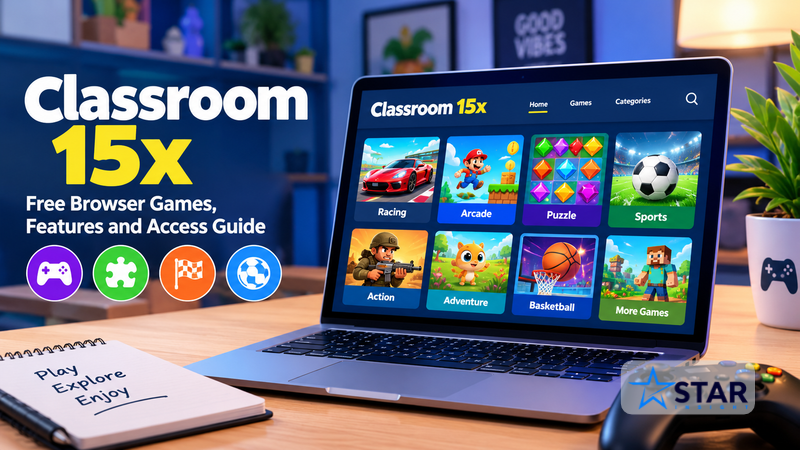
Classroom 15x is a name associated with online gaming websites that provide access to browser-based games. Depending on the website, visitors may find arcade challenges, puzzles, racing games, sports titles, and other casual entertainment. Many browser games can be played without downloading a separate application, making them convenient for people who prefer quick access through a web browser.
However, not every website using the Classroom 15x name offers the same games or features. If you are searching for Classroom 15x, understanding how these gaming portals work, which devices may support them, and how to evaluate their safety can help you make an informed choice. This guide covers the main features, game categories, access methods, troubleshooting tips, and alternatives.
Classroom 15x
| Fact | Details |
|---|---|
| Name | Classroom 15x |
| Category | Online browser gaming |
| Game Types | Arcade, puzzle, racing, sports, and casual games |
| Access | Through a compatible web browser |
| Installation | Many games do not require a separate download |
| Supported Devices | Computers, Chromebooks, smartphones, and tablets, depending on the game |
| Internet Connection | Usually required for browser-based games |
| Safety | Check the website, advertisements, and privacy practices |
| School Access | Depends on school network policies |
What Is Classroom 15x?
Classroom 15x is a name used by websites associated with online browser gaming. These websites typically organize games into collections so visitors can browse available titles and select a game to play. Depending on how a particular game is built, it may run directly in the browser without a traditional installation.
The name does not necessarily identify one official service. Different domains or pages may use similar branding while offering different game libraries, layouts, and features. For that reason, it is important to check the complete website address rather than assuming every page with the same name belongs to the same operator.
Classroom 15x should also not be confused with Google Classroom. Google Classroom is an education management service, whereas websites using the Classroom 15x name are associated with gaming.
How Classroom 15x Browser Games Work
Browser games use web technologies to display graphics, process player actions, and run game mechanics inside a compatible browser. Many modern titles use HTML5 and JavaScript, although the technology and requirements vary between games.
The usual process involves opening a game page, waiting for its content to load, and following the on-screen instructions. Some games start immediately, while others may display a loading screen or require a particular browser feature.
Here is how to get started:
- Open the relevant website in a compatible browser.
- Browse its game categories or search for a specific title.
- Select the game you want to play.
- Wait for the game to load completely.
- Read the instructions and use the available controls.
- Close the tab when you finish playing.
A stable internet connection and an updated browser can help prevent common loading issues. However, a game may remain unavailable if its hosting page is broken, its files have been removed, or access is restricted by the network.
Key Features of Classroom 15x
The features available on Classroom 15x depend on the particular website. Browser gaming portals commonly offer several useful features.
- Browser-based gameplay: Supported games can run directly in a browser without a separate desktop installation.
- Different game categories: Collections may include puzzles, racing, arcade, sports, action, and casual games.
- Game discovery: Category pages or game lists can help visitors explore different titles.
- Simple controls: Many games use keyboard keys, mouse clicks, or touchscreen gestures.
- Quick access: Some games can be opened directly from their individual pages.
- Device flexibility: Certain lightweight games work on computers and mobile devices.
These characteristics describe browser gaming in general and should not be interpreted as a verified list of features available on every Classroom 15x website.
Types of Games Available on Classroom 15x
Game variety is an important reason people explore browser gaming websites. The available selection can differ between Classroom 15x domains, and individual titles may be added, removed, or replaced over time.

Arcade Games
Arcade games often feature short rounds, straightforward objectives, and quick reactions. They can suit players looking for simple entertainment without a lengthy learning process.
Puzzle Games
Puzzle titles challenge players to recognize patterns, match objects, solve problems, or complete levels. Their difficulty depends on the game’s design.
Racing and Driving Games
These games may involve steering, avoiding obstacles, completing tracks, or reaching a finish line. Keyboard controls are common, although some titles support touchscreens.
Sports Games
Sports games recreate activities such as basketball, football, and other competitions in simplified digital formats. Some focus on quick matches, while others include more detailed challenges.
Other possible categories include action games, simulations, and multiplayer experiences. Check the actual game directory to see which categories are available rather than relying on a general description.
How to Access Classroom 15x
The first step is to identify the particular Classroom 15x website you want to visit. Because similar names can appear across different domains, checking the address helps you avoid unrelated or misleading pages.
Follow these steps to access a gaming portal:
- Open a trusted link or enter the correct website address in your browser.
- Check the domain spelling before interacting with the page.
- Browse the available games or use the site’s search feature, if provided.
- Select a title and allow it to load.
- Follow the instructions displayed on the game page.
Some browser games can be played without registration, while others may have different requirements. Avoid providing unnecessary personal information or downloading unknown software simply to access a game.
If the page does not open, check whether the address is correct and whether the website is available. On a school or workplace network, access may also be restricted by the administrator.
How to Play Games on Classroom 15x
Once a game loads, look for its control instructions. Many browser games use the arrow keys or WASD keys for movement, the mouse for selecting objects, or touchscreen gestures on compatible mobile devices.
For a better experience, allow the game to finish loading before using the controls. If the game has a pause button, sound controls, or fullscreen mode, use these options when they are available and appropriate for your environment.
Beginners may find it easier to start with a simple arcade or puzzle game. Racing and action games can require more practice, particularly when they depend on precise timing or keyboard movements.
Remember that each game has its own rules. If the usual controls do not work, check the instructions on that specific game page rather than assuming the entire website is broken.
Classroom 15x on Chromebooks and School Devices
Chromebooks can run many browser-based games because they support modern web technologies. Some games do not require a separate installation and may work directly in the browser, depending on the device’s capabilities.
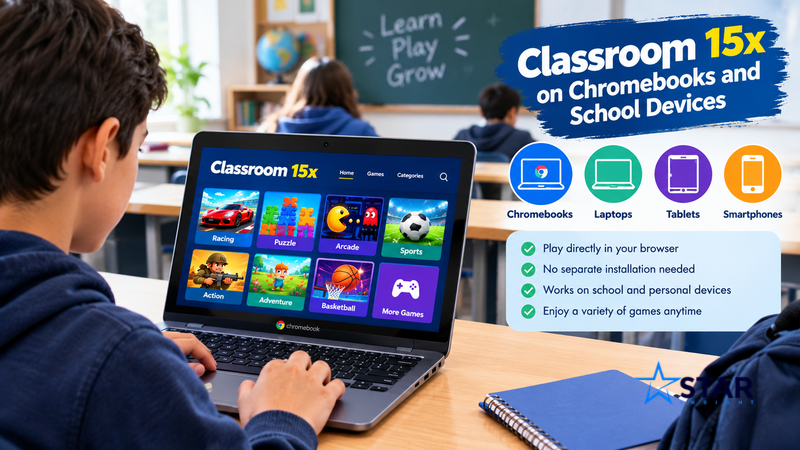
However, technical compatibility does not guarantee permission to access a website. Schools can use managed-device settings, network filters, and acceptable-use policies to restrict gaming websites. A game that works on a personal computer may therefore remain unavailable on a school Chromebook.
Students should follow their school’s technology rules and teacher instructions. If a website is blocked, ask the appropriate school staff whether it is permitted rather than attempting to bypass the restriction.
Does Classroom 15x Work on Mobile Devices?
Some games listed on browser gaming websites may work on Android phones, iPhones, and tablets. Compatibility depends on the individual game’s design, the browser, and whether touchscreen controls are supported.
Puzzle games and simple arcade titles can be convenient on smaller screens. Games that depend on a keyboard or precise mouse movements may be harder to control on a phone.
If a game does not respond correctly, check its requirements and whether the page supports mobile gameplay. You can also try an updated browser. Avoid installing an unfamiliar application just because a game does not load as expected.
Classroom 15x Browser Compatibility
A modern browser is generally the best starting point for online gaming. Nevertheless, the performance of a particular title depends on its technology, device hardware, available memory, and internet connection.
| Device | General compatibility | Important considerations |
| Windows PC | Many browser games may work | Browser version, memory, and keyboard controls |
| Mac computer | Many browser games may work | Browser support and individual game requirements |
| Chromebook | Supported browser games may work | School restrictions and device performance |
| Android phone | Some games may work | Touchscreen controls and screen size |
| iPhone or iPad | Some games may work | Browser compatibility and game design |
This table describes general browser gaming compatibility. It does not guarantee that every Classroom 15x website or game will work on every device.
Why Classroom 15x May Not Work
A Classroom 15x page may fail to open for several reasons. Identifying the problem can help you decide what to check next.
Common causes include:
- Network restrictions: A school or workplace may block gaming websites.
- Incorrect website address: A spelling mistake or outdated link can lead to an error.
- Browser problems: An outdated browser or incompatible settings may prevent a game from loading.
- Slow internet: An unstable connection can interrupt loading.
- Device limitations: Some games require more memory or processing power than a device can provide.
- Unavailable game files: A particular title may stop working if its hosting page or game files are removed.
A website described as “unblocked” is not guaranteed to work on every network. Access depends on the network’s rules and the availability of the website.
How to Fix Common Classroom 15x Access Problems
If Classroom 15x is not working, try basic troubleshooting before making changes to your device.
- Check the URL: Make sure the website address is spelled correctly.
- Test your internet connection: Open another trusted website to see whether the connection is working.
- Refresh the page: Reloading may resolve a temporary loading issue.
- Update your browser: A current browser may offer better compatibility with modern web games.
- Close unused tabs: This can free memory on devices with limited resources.
- Check game requirements: Some titles may not support your device or touchscreen controls.
- Confirm network permissions: If the page is blocked on a school device, ask the relevant administrator about permitted access.
If other websites work but one game does not, the problem may be specific to that title. If the page displays suspicious download prompts, unexpected redirects, or requests for your school password, close it rather than proceeding.
Is Classroom 15x Safe to Use?
Safety depends on the specific website, its advertisements, the content of its games, and the information it asks visitors to provide. The Classroom 15x name alone is not enough to establish that a particular site is trustworthy.
Before using a gaming portal, consider the following precautions:
- Check the full website address and look for clear privacy information.
- Avoid sharing passwords, school account details, or unnecessary personal information.
- Do not download unknown files or browser extensions to launch a game.
- Be cautious of fake play buttons, pop-ups, and unexpected redirects.
- Check game content and age suitability, especially for younger users.
- Follow school rules and parental guidance when applicable.
Some gaming websites may display advertising or contain games that are unsuitable for certain age groups. Review the individual game and website rather than assuming that every title is appropriate for school use.
Benefits and Limitations of Classroom 15x
Browser gaming can be convenient, but it also has limitations. Considering both sides helps readers decide whether this type of platform meets their needs.
| Potential benefits | Possible limitations |
| Many games can run without a separate installation | Website access may be restricted |
| Multiple game genres may be available | Game selection varies by domain |
| Lightweight games may run on basic devices | Demanding games may perform poorly |
| Games can be convenient for short sessions | Advertisements may interrupt the experience |
| Some titles support mobile browsers | Not every game supports touchscreens |
These are general advantages and limitations of browser gaming, not verified guarantees about every Classroom 15x website.
Classroom 15x Alternatives for Browser Gaming
If a Classroom 15x page is unavailable or does not offer the game you want, other browser gaming platforms may be worth exploring. Each service has its own game collection, policies, and device requirements.
Poki
Poki offers a broad collection of browser games, including casual, arcade, and other game genres.
CrazyGames
CrazyGames features browser games across categories such as racing, action, puzzle, and multiplayer gaming.
itch.io
itch.io hosts independent games, including browser-playable HTML5 projects from individual developers and small studios.
These alternatives may offer different game experiences, but none is guaranteed to be accessible on a school or workplace network. Check the relevant rules before using them on a managed device.
Classroom 15x vs. Other Browser Game Platforms
Classroom 15x sites and other browser gaming platforms may offer similar types of games, but their game libraries, ownership, design, and features can differ. Some platforms focus on quick access to casual games, while others include games published by independent developers.
| Comparison point | Classroom 15x websites | Other gaming platforms |
| Game selection | Depends on the specific domain | Depends on the platform |
| Browser gameplay | Available for supported games | Available for many titles |
| Device compatibility | Varies by game | Varies by game |
| Ownership | The name may appear on multiple sites | Depends on the individual service |
| School access | May be restricted | May also be restricted |
There is no single best platform for everyone. The most suitable choice depends on the games you want to play, your device, the website’s safety practices, and the rules that apply to your network.
Tips for a Better Browser Gaming Experience
A few practical habits can make browser gaming smoother and safer.
- Choose games that match your device’s capabilities.
- Use an updated browser and a reliable internet connection.
- Read the controls before starting a new game.
- Close unnecessary tabs if the game runs slowly.
- Avoid suspicious advertisements and unknown downloads.
- Take breaks and manage your playing time.
- Keep schoolwork and other responsibilities a priority.
- Review privacy information before sharing personal details.
These tips apply to browser gaming generally and can help you avoid common technical and safety problems.
Frequently Asked Questions About Classroom 15x
What is Classroom 15x used for?
Classroom 15x is a name associated with websites offering browser-based games. Visitors can browse available titles and play supported games directly through a compatible browser.
Is Classroom 15x free to use?
Some websites using the Classroom 15x name advertise free games. However, access conditions and features may differ between websites. Check the specific site’s terms before using it.
Do you need to download Classroom 15x?
Many browser games do not require a separate application. They can run directly in a compatible browser, although individual games may have different requirements.
Can you play Classroom 15x games on a Chromebook?
Some games may work on Chromebooks because they run in a browser. Compatibility depends on the game, device performance, and any restrictions set by the school.
Why is Classroom 15x blocked on some networks?
Schools and workplaces may block gaming websites through network filters or managed-device settings. A website’s use of the word “unblocked” does not override those restrictions.
Is Classroom 15x safe for students?
Safety depends on the specific website, advertisements, game content, and information requested. Check the domain, avoid sharing sensitive information, and follow school or parental guidance.
Does Classroom 15x work on mobile phones?
Some games may support mobile browsers and touchscreen controls, but not every title is designed for smartphones. Check the individual game’s compatibility before playing.
Is Classroom 15x the same as Google Classroom?
No. Classroom 15x gaming websites are different from Google Classroom, which is Google’s education management service.
Why do different Classroom 15x websites show different games?
Different websites may use the same or similar name while maintaining separate game collections and features. Checking the full domain helps identify which website you are visiting.
Final Thoughts on Classroom 15x
Classroom 15x is a name associated with browser gaming websites that may offer arcade, puzzle, racing, sports, and other casual games. Depending on the specific website and title, visitors may be able to play directly in a browser without installing a separate application.
Before choosing a game, verify the website address, check device compatibility, and consider the site’s privacy practices and advertising. If you are using a school-managed device, follow the school’s internet policy.
Understanding these factors can help you evaluate Classroom 15x and compare it with other browser gaming platforms. The best choice is one that offers the games you want, works on your device, and provides an appropriate and safe browsing experience.









Leave a Reply